

A click from your Google Business Profile can vanish into GA4 like a footprint in wet sand. You know someone tapped your website, menu, or appointment link, yet the visit often blends into broad organic traffic.
That blur costs money. It hides which profile links bring leads, which pages need Website design help, and where your local SEO and marketing budget should go next. Clean tagging clears the fog.
Why Google Business Profile clicks need their own tracking
Your Business Profile sits at the curb of the internet. People see it in Search, in Maps, and often click before they ever visit your homepage. When those clicks land without UTM tags, GA4 can tell you the visit came from Google, but not which profile link earned it.
That matters more in 2026 because most local profiles point to more than one destination. A business may use a main website link, an appointment link, a menu link, and location pages. If every link sends people to your site without tags, your report turns into a bowl of mixed keys. You can hear the rattle, but you can’t tell which key opens which door.
Google Business Profile UTM tracking solves that problem by labeling the click at the source. You can separate a homepage visit from a booking visit. You can compare menu clicks against store-page clicks. You can also see which landing pages turn that intent into forms, calls, or revenue.
If your team already invests in local SEO services, clean UTM tagging turns profile traffic from a guess into a measurable channel. It also sharpens broader SEO work because you can see what local searchers do after the click.
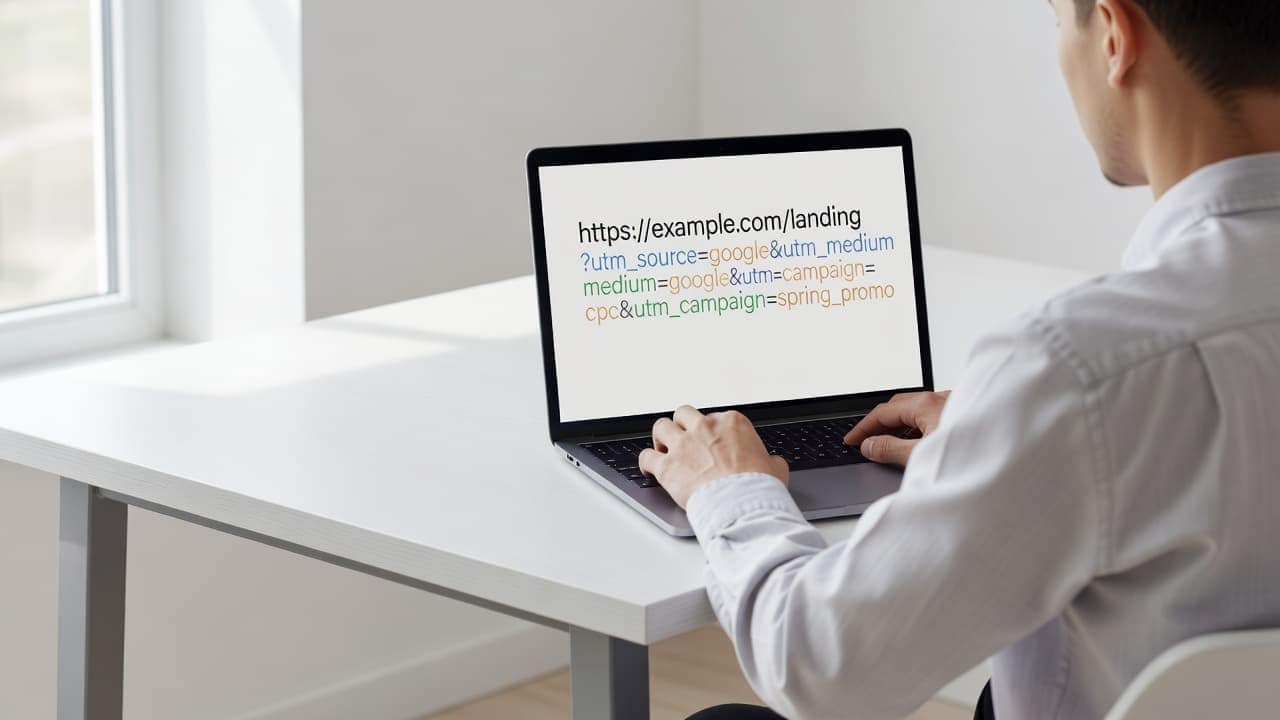
The payoff reaches past traffic counts. Strong attribution helps branding, landing-page decisions, and monthly marketing reviews. When you know which link drove the visit, your next move gets much easier.
Build a naming convention before you tag anything
Most tracking problems start before the first URL goes live. The tags are not wrong by themselves. The pattern is wrong, inconsistent, or undocumented.
Start with a simple house rule:
- Use
utm_source=gbp. - Use
utm_medium=organic. - Use a short, clear
utm_campaignvalue. - Keep every tag lowercase.
Using gbp for source keeps this traffic separate from general Google traffic. Using organic for medium helps GA4 place the session in Organic Search. That makes reporting cleaner than utm_source=google, which can blur profile traffic with standard search visits.
Your campaign name should describe the destination or business purpose. Good examples include homepage, appointment, menu, and location-vero-beach. Pick one separator style, usually hyphens, and stick with it. GA4 treats Menu and menu as two different values, so mixed case will split your data.
If you want a strong checklist for naming rules, review this UTM best-practices guide. It mirrors the same lesson many teams learn the hard way: neat data starts with discipline, not guesswork.
One more 2026 note matters here. Many businesses use listing software or bulk-management tools. Those tools may auto-append tags, overwrite your URLs, or apply a different naming pattern. Check that first. Then document your rules in a shared sheet with the date changed, page destination, and owner.
Good website maintenance belongs here too. A tagged link is only useful if it points to a live, fast, mobile-friendly page every month.
UTM examples for homepage, appointment, menu, and location links
The easiest way to stay sane is to map each Business Profile field to one clear campaign name. Use the same structure on every location unless you have a strong reason to change it.
Here is a clean starter setup:
| Profile link | Example structure | Best use |
|---|---|---|
| Homepage | /?utm_source=gbp&utm_medium=organic&utm_campaign=homepage | Tracks visits from the main website button |
| Appointment | /appointments/?utm_source=gbp&utm_medium=organic&utm_campaign=appointment | Measures booking intent |
| Menu | /menu/?utm_source=gbp&utm_medium=organic&utm_campaign=menu | Useful for restaurants and service lists |
| Location page | /locations/vero-beach/?utm_source=gbp&utm_medium=organic&utm_campaign=location-vero-beach | Tracks store-specific traffic |
That table gives most single-location businesses enough detail to act. A salon can see whether the appointment link outperforms the homepage. A restaurant can compare menu traffic to main-site visits. A law office can measure which city page attracts stronger intent.
Website design matters once the click lands. If your location pages are weak, even perfect tags won’t save the session. That’s where professional website design services can support cleaner conversion paths.
Some teams want one more layer of detail. In that case, add utm_content for the field name while keeping utm_campaign for the location or offer. For example, a multi-location brand might use utm_campaign=vero-beach&utm_content=appointment. That structure keeps comparisons tidy inside GA4.
For a deeper field-by-field workflow, Claire Carlile’s tagging guide is a useful reference. The main point stays the same: choose a structure once, then use it everywhere.
How to read Google Business Profile traffic in GA4
After the links are live, open GA4 and look at the right report. This is where many teams miss the mark.
Start in Traffic acquisition, not User acquisition. You are measuring the session created by a specific tagged link. Therefore, Session source / medium is the dimension that matters most. Filter for gbp / organic. Then add Session campaign and Landing page to see which profile links drove visits and where they landed.
From there, line up your key events. Common ones include form submissions, appointment bookings, purchases, and click-to-call actions on the website itself. If the events are not configured, your UTM work will stop at traffic counts. If they are configured well, you can trace a profile click all the way to revenue or lead value.
UTM tags track clicks to your website. They do not track calls, messages, or direction requests that happen inside Google Business Profile itself.
That boundary matters in boardroom reports. A profile can generate value both on and off your site. UTMs only measure the on-site side of that story.
Linking GA4 with Google Search Console also helps. Search Console shows search visibility, while GA4 shows what visitors did after they arrived. For monthly reporting, many teams build a simple Looker Studio view with sessions, conversions, landing pages, and campaign names. If you want an extra refresher, Search Engine Land’s guide on GBP UTMs covers the basics well.
This is where clean tagging starts to pay rent. You can tell whether menu clicks bounce, whether appointment clicks convert, and whether your branding on the landing page matches the promise made in local search.
Multi-location rules that keep reports clean
Multi-location businesses need stricter rules because one messy store can poison the whole dataset. When ten locations use ten naming styles, your reporting turns into scattered gravel.
Pick one model and keep it across the brand. For most groups, the cleanest setup is utm_campaign for the location and utm_content for the link type. A Vero Beach location might use /locations/vero-beach/?utm_source=gbp&utm_medium=organic&utm_campaign=vero-beach&utm_content=website. Its booking link could use /appointments/?utm_source=gbp&utm_medium=organic&utm_campaign=vero-beach&utm_content=appointment.
That pattern makes roll-up reporting easy. You can compare all locations by campaign, then compare link types by content. If you reverse that structure, do it everywhere and never drift.
Also keep a shared control sheet. Include location name, GBP field, final URL, tag pattern, last edit date, and who approved it. Test a small batch before any bulk upload. Then check live listings in both Search and Maps because some tools publish slowly or rewrite links on sync.
Consistent branding matters here too. If one location sends traffic to a polished page and another sends it to a stale page, the numbers will tell the story. Good website maintenance keeps those pages accurate, fast, and conversion-ready, which protects the quality of your marketing data.
Final thoughts
A Google Business Profile click should not disappear into a generic traffic bucket. With a simple naming convention, four well-tagged link types, and session-based GA4 reports, you can see which clicks bring real business.
The strongest move is consistency. When every location, link field, and landing page follows the same rules, your local SEO, SEO, and marketing decisions stop relying on hunches. The data starts speaking in a clear voice.